
SAV Academy · Sales Cycle
Sales invoice
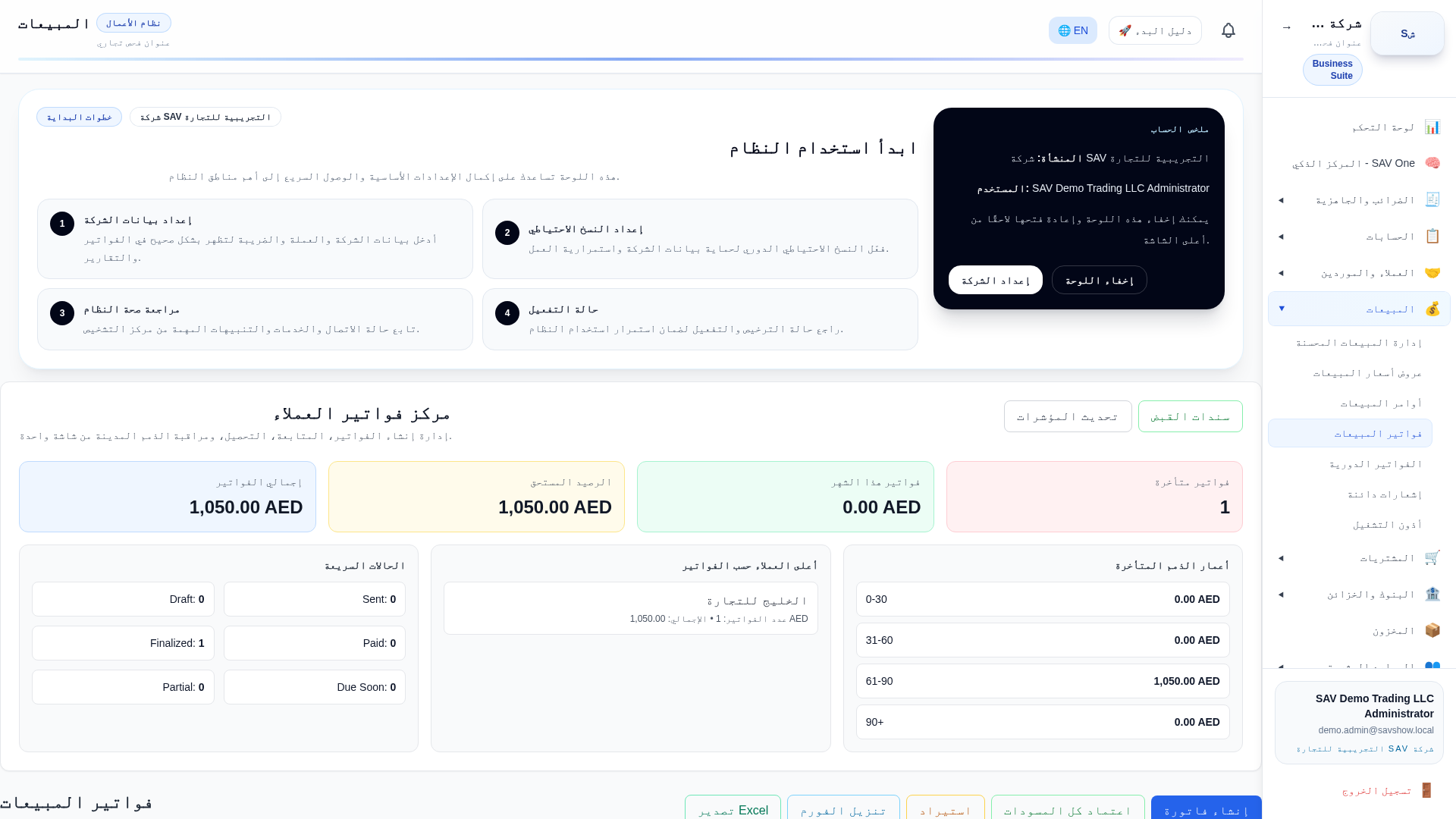
Purpose
Issue a sales (tax) invoice to a customer. This is the central revenue document: it recognises income, VAT output and the customer receivable, and is the source document for UAE e-invoicing.
Who uses it
Accountants and sales staff with the Sales permission.
Prerequisites
- •A customer master record
- •Items or services to sell
- •The correct VAT category per line
Step by step
- 1Open Sales → Invoices → New.
- 2Select the customer; the address and TRN load automatically.
- 3Add lines: item/service, quantity, unit price and VAT category (Standard 5%, Zero, Exempt, Out-of-scope).
- 4Review the computed subtotal, VAT and total.
- 5Save as draft to review, then Post to make it a legal accounting document.
- 6Print or, if e-invoicing is enabled, run the Readiness Preview before issuing.
Key fields
| Customer | Determines receivable sub-ledger, TRN and e-invoice buyer details. |
| Line VAT category | Drives the VAT output amount and how the line appears on VAT reports. |
| Quantity × Unit price | Line subtotal before VAT. |
| Invoice date | The tax point that places the invoice in a VAT period. |
Practical example
Invoice to Gulf Trading LLC: 10 units × 100 AED = 1,000 AED, Standard 5% VAT = 50 AED, total 1,050 AED.
Accounting impact
On posting: Debit Accounts Receivable 1,050; Credit Sales/Revenue 1,000; Credit VAT Output 50. The entry appears in the Trial Balance, the customer statement, the P&L (revenue) and the Balance Sheet (receivable).
VAT impact
The 50 AED is VAT output for the invoice's tax period and feeds the VAT return / VAT reports. Zero-rated and exempt lines are reported separately with no 5% charge.
E-invoice impact
When the company has UAE e-invoicing enabled, the posted invoice is the source for the canonical UAE document and the PINT-AE XML. The Readiness Preview checks seller/buyer/line data before issuing; the human invoice layout does not change and never shows raw XML or a QR code.
Warnings
- •Once posted, an invoice is a legal document — correct it with a credit note, not by editing.
- •The invoice date sets the VAT period; a wrong date reports VAT in the wrong period.
Common mistakes
- •Choosing the wrong VAT category (e.g. Standard on an export that should be Zero).
- •Editing a posted invoice instead of issuing a credit note.
Tips
- •Run the Readiness Preview on your first e-invoice customer to catch master-data gaps early.